VXRLabs
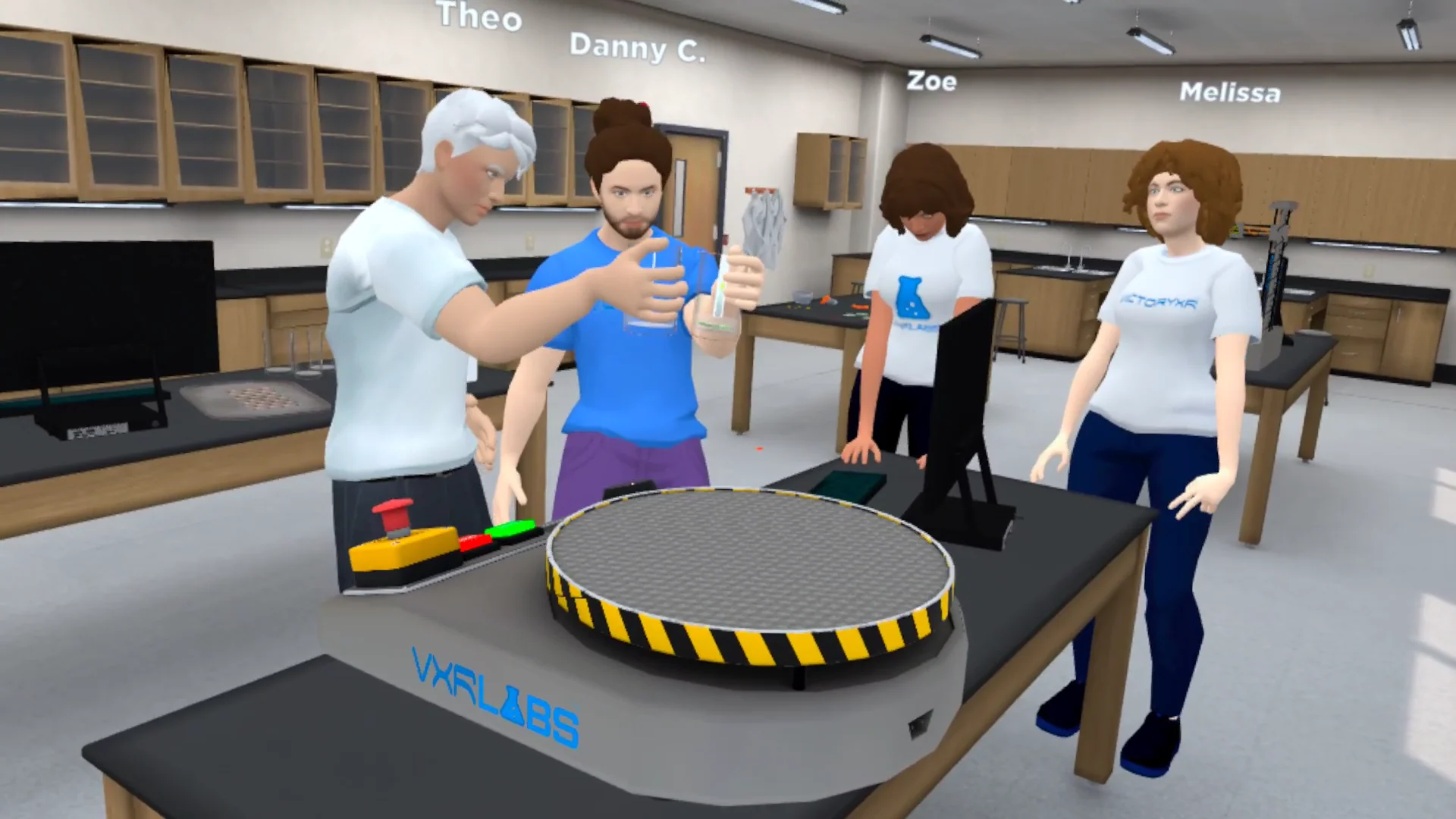
A multi-student educational simulation platform for PC and Meta Quest headsets. Implemented synchronous multiplayer features, physics-based science labs, and an AI-powered 3D creator tool — enabling educators to build and deploy their own VR lessons across subjects ranging from chemistry to history.
- ROLE
- Unity Developer
- PLATFORMS
- VR (Meta Quest headsets) / PC (Standalone & Web Deployment)
My contributions
- 01
Multiplayer Development: Implemented synchronous multiplayer features that allow students and teachers to collaborate in real-time simulations.
- 02
Immersive World Design: Assisted in developing realistic, interactive environments, including historical locations, science labs, and career training modules.
- 03
VR Optimization: Ensured smooth performance and interaction fidelity across Meta Quest headsets and PC versions.
- 04
Physics-Based Interactions: Developed interactive chemistry labs, biology dissections, and physics experiments, allowing students to manipulate objects naturally.
- 05
Educational Gamification: Designed interactive tasks and puzzles to reinforce learning objectives and make lessons engaging.
- 06
Cross-Platform Functionality: Assisted in creating web-accessible versions of certain modules, ensuring maximum accessibility for students and educators.
Overview
VXRLabs is a multi-student educational simulation platform designed for PC and Meta Quest headsets, offering immersive, interactive lessons across various subjects. From virtual field trips and chemistry labs to historical site explorations and career training, the platform transforms traditional learning into engaging 3D experiences. VXRLabs supports both synchronous and asynchronous learning, allowing students to either explore solo or collaborate in multiplayer educational environments.
Purpose
VXRLabs was created to centralize immersive education, providing a single platform where institutions can access a vast library of VR simulations instead of purchasing multiple applications. The goal is to enhance student engagement, improve knowledge retention, and provide interactive, hands-on learning experiences in subjects ranging from science and literature to history and career training.
Core features
- 01
Multiplayer Learning Spaces: Students can interact, collaborate, and complete lessons together in shared simulations.
- 02
Hands-On Science Labs: Chemistry and biology experiences feature fully interactable lab equipment, dissections, and experiments.
- 03
Historical Site Exploration: Visit locations such as Thomas Edison's cabin, the Berlin Wall, and the Edmund Pettus Bridge in VR.
- 04
Gamified Literature & History: Interactive lessons based on To Kill a Mockingbird, The Great Gatsby, and historical events.
- 05
Career & Technical Education (CTE): Training simulations for healthcare, forensics, and skilled trades.
- 06
AI-Powered 3D Creator Tool: Allows educators and students to build and deploy their own VR lessons.
Challenges
- 01
Multiplayer Scalability: Balancing real-time student interactions while maintaining smooth performance in VR.
- 02
Cross-Device Optimization: Ensuring a consistent user experience between Meta Quest and PC users.
- 03
AI-Powered Content Deployment: Implementing a seamless system for educators to create and upload their own VR lessons.
- 04
Educational Content Adaptation: Translating traditional lesson plans into engaging, hands-on VR experiences.
Solutions
- 01
Optimized Photon Networking: Streamlined data synchronization to handle multiple users per session efficiently.
- 02
Performance Profiling & Testing: Regularly tested and optimized VR scenes for stable frame rates and reduced latency.
- 03
Modular Lesson Design: Built a flexible system allowing educators to customize learning modules based on curriculum needs.
- 04
User-Centric UI & Controls: Created simplified, guided tutorials for educators new to VR-based teaching.
Accessibility
- 01
Cross-Platform Support: Available on VR headsets, PC, and web browsers for flexibility in learning environments.
- 02
Asynchronous & Synchronous Modes: Supports both self-paced learning and live classroom participation.
- 03
Voice-Guided & Text Narration: Includes audio narration, subtitles, and adjustable text sizes for accessibility.
- 04
Simplified Controls & UI: Designed to be intuitive for first-time VR users and educators unfamiliar with immersive technology.